Color Palette Generator - Automatically From Any Photo
April 16, 2010 by Cindy Wyckoff
Filed under Cool Tools, Featured Articles
This is really cool! You can automatically generate a wonderful color palette based on the colors in a photo that you upload. Not only can you use it to choose colors to match the photos in your scrapbook page, you can use it to help with other art projects, website design, or even decorating your home.
Here is a sample of what I did. I choose a photo that I took recently…and here is my gorgeous color palette. I love it!
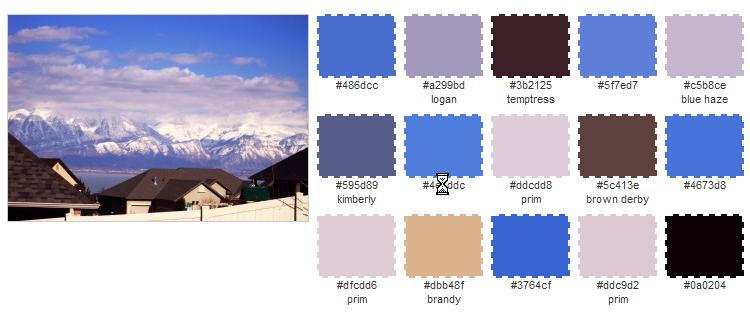
If you want to try something else, just click Edit and then you can upload another photo. Then click on CREATE. Here is another example of one I generated.
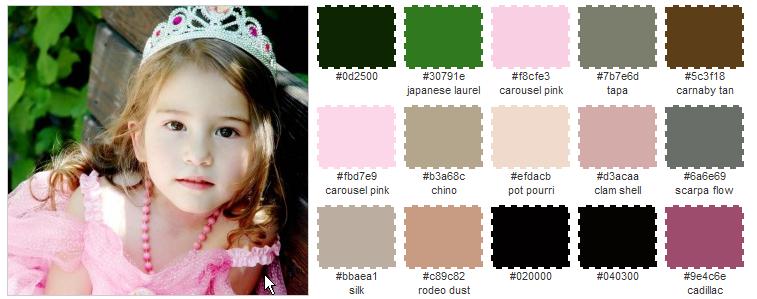
It also gives you the option to download these swatches in Adobe Swatch Exchange (ASE) format for Photoshop or compatible applications. In other words, it puts them in the correct format so that you can upload them to your swatches palette in your Photoshop or other graphics software programs.
Go to http://bighugelabs.com/colors.php and try it. It’s fun and it’s free!

 How To Mask a Photo