by Julie Fei-Fan Balzer
I’m a big fan of creating my own embellishments. But sometimes I’m short on time and just want something that looks handmade. That’s why I love this technique. I am going to show you how to create a digital template that you can use over and over and over again!
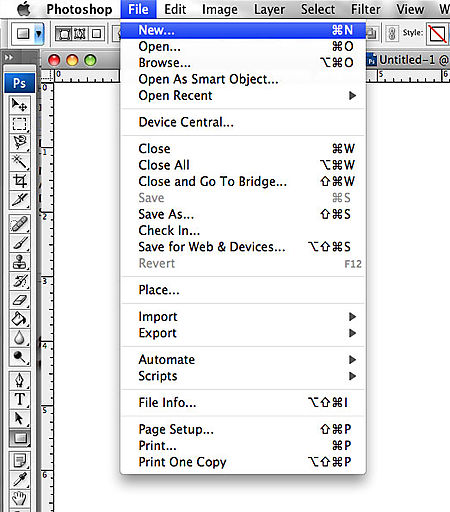
1. Open a new 12×12 file (File>New) in Photoshop.
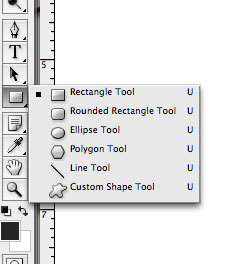
2. Choose the “Rectangle Tool.”
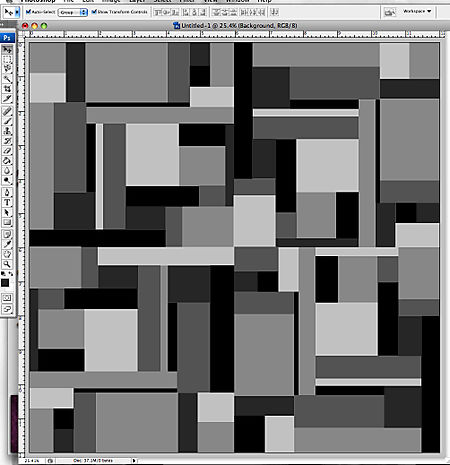
3. Use the “Rectangle Tool” to draw rectangles of various sizes. You will want to change the colors (to various shades of gray) simply so that you can see all the layers. Keep going until the entire page is filled.
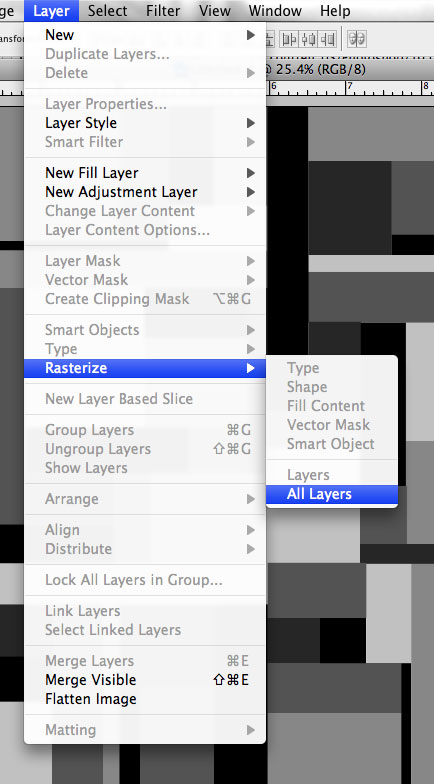
4. You now need to change all those vector shapes to regular shapes. From the Layers menu, choose Rasterize>All Layers.
5. Save your new layered template! It’s important to do it now so that you don’t mess it up with the next few steps. You just did all of that work and want to have it around for a long time!
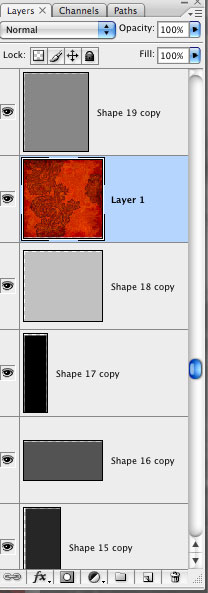
6. Drag patterned paper into your template. Place it just over the layer you want to cover in patterned paper. Here is a screenshot of the Layers Palette:
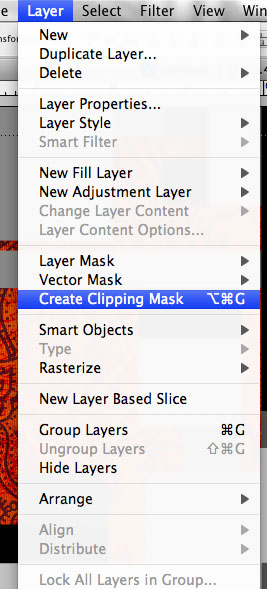
6. Choose “Create Clipping Mask” from the “Layer” menu.
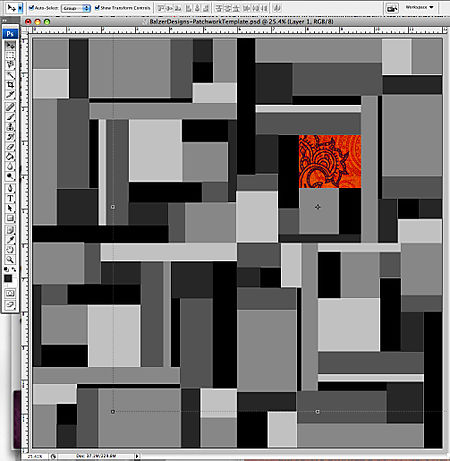
This will make it so that the paper “sticks” to only the one shape it’s over, like so:
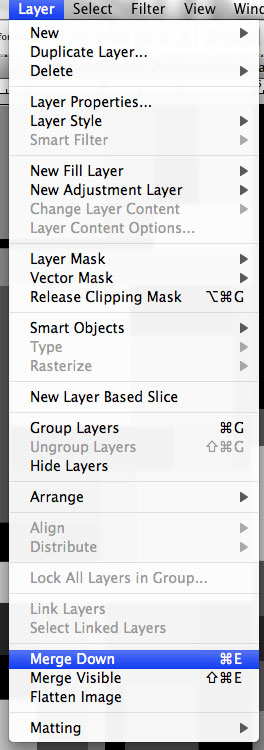
7. If you like it, merge those two layers together (Layer>MergeDown) to make it permanent.
8. Continuing adding patterned paper until you’re satisfied with the area you’ve filled.
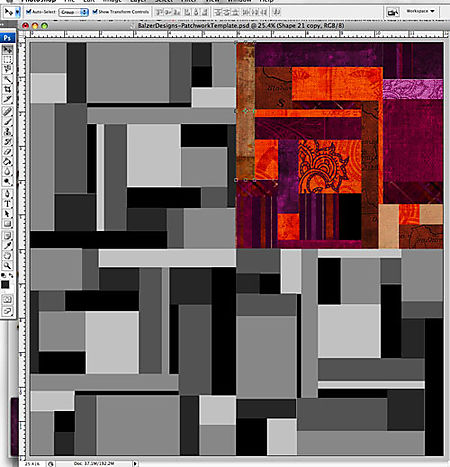
You can see here that I’ve only covered one part of the template. I’m doing a small embellishment, so there’s no reason to cover the entire thing.
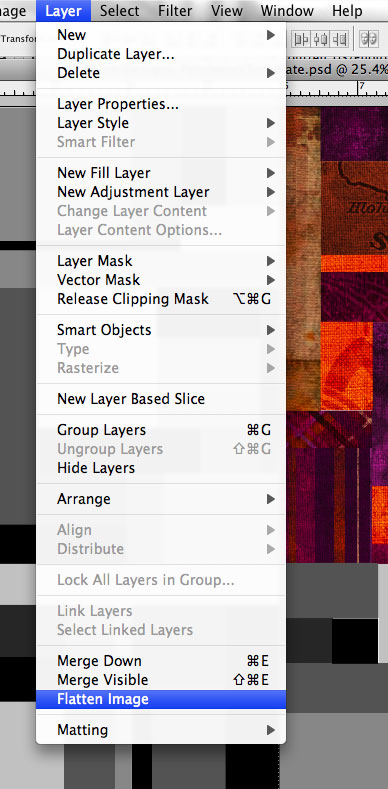
9. Flatten the entire template (Layer>Flatten Image) so that you can cut out the embellishment shape you want.
10. Use any method you want to cut out whatever shape you’d like. I chose a leaf from Photoshop’s existing menu of shapes.
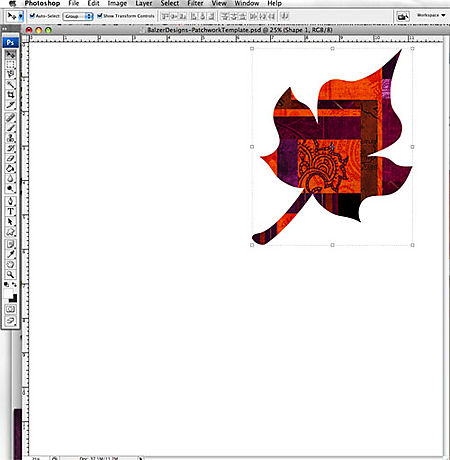
11. Print your new patchwork embellishment out and use it on your layout!
Here’s my layout using several of the patchwork leaves:

I hope you enjoyed this tutorial!
Popularity: 92% [?]
0 responses so far ↓
There are no comments yet...Kick things off by filling out the form below.
You must log in to post a comment.