|
Author
|
|
DancingPrincess
Registered: October 2009
Posts: 64
|
|
Tue December 8, 2009 2:42pm
|
|
|
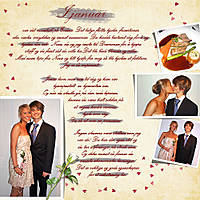
Another darling page, Trine! I really like the way you 'highlighted' some of the journaling! Beautiful!
|
|
|
|
|
FS
Registered: November 2009
Posts: 18
|
|
Wed December 9, 2009 7:01am
|
|
|
I feel intimidated by your work Trine! wow!
another question here,(if it is a big burden answer it can you refer me to a tutorial wher I can learn this?)
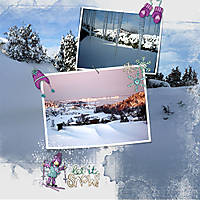
How do you make the photos look 'three deminsional' by 'liften up' a corner or side of the picture, I can do things in the > Layer> Layer Style window, lets say drop shadow,Inner glow, or Bevel/Emboss but not only one corner or the midlle from a picture lifting up..
|
|
|
|
|
Vikingscrapper
Registered: November 2009
Posts: 22
|
|
Wed December 9, 2009 11:27am
|
|
|
Hi again FS and thank you for your wows! ;-)
I'm using CS4 and the warp tool to lift up the corners of a photo. In order to get the three dimensional feel you also need to make a shadow layer below your picture layer (see my answer to your last question under the page 2 in my album in the comment section.)
Then select your picture layer and hit Ctrl+T to get the transform tool. Click on the warp tool (in CS4 it's in the options bar close to the checkmark). If you use Elements I'm not sure you have the warp tool. Maybe Jenn or Cindy knows and can guide you there?
The warp tool gives you a grid with several handles to drag in any direction you like. Let's say I want to make a lift in the upper right corner of the picture. I then would drag the upper right handle slightly down and to the left. If you use the warp tool on the shadow layer as well, you will get an even better feel of the lift.
Hope this was understandable. :-) Good luck.
Smile from Trine
|
|
|
|
|
FS
Registered: November 2009
Posts: 18
|
|
Wed December 9, 2009 7:41pm
|
|
|
I own Photoshop CS3 and I found the warp tool, and tried it out... and yes again I totally understand how you did it, thanks to your clear steps. I am definitally gonna try this tehcnique a lot.
Thanks Trine!
(and I could feel your warm smile here in cold BC.)
Frances
|
|
|
|
|
cindyjw
Registered: December 2009
Posts: 5
|
|
Wed December 9, 2009 8:29pm
|
|
|
I LOVE the warp tool. That's the reason I upgraded to CS3.  Too bad Elements doesn't have it, BUT...there are ways around it in Elements. It's late right now, but remind me and I'll put up a demonstration for you. Too bad Elements doesn't have it, BUT...there are ways around it in Elements. It's late right now, but remind me and I'll put up a demonstration for you.
|
|
|
|
|
Vikingscrapper
Registered: November 2009
Posts: 22
|
|
Wed December 9, 2009 8:42pm
|
|
|
Hi again Frances!
So glad I could help. That's a fun part of these classes, we inspire eachother and help eachother. Looking forward to see your album in the gallery. Have a nice day!
Smile from Trine (all the way from Norway) :-)
|
|
|
|
|